



ULTIMATE GUIDE TO VIRTUAL QUEUES
AT DISNEYLAND PARIS
Everything you need to know about booking character meet-and-greets using the Disneyland Paris App
Disneyland Paris Virtual Queue Guide: How to Meet Characters, Booking Times & Tips
Live Disneyland Paris Virtual Queue Tracker. This page is updated regularly with the latest details and confirmed character on the virtual queue at Disneyland Paris
Last updated: 7 August 2026
If there’s one thing Disneyland Paris does well, besides unforgettable parades and character encounters, it’s finding new ways to improve how guests experience the parks. One of the biggest changes in recent years has been the introduction of the Disneyland Paris Virtual Queue, which has transformed how many popular character meet and greets are managed.
What started with the Hero Training Center in Avengers Campus has gradually expanded across both parks, with experiences including Anna and Elsa, Mickey Mouse, the Princess Pavilion, Spider-Man and seasonal character appearances now using the system. Instead of spending large parts of your day waiting in a physical queue, guests can reserve a place through the Disneyland Paris app and continue enjoying the parks until their return time.
The system is constantly changing, with characters joining and leaving depending on seasonal events, celebrations and park operations. This can make planning a character-focused visit feel a little confusing, especially if you are trying to meet a specific character during a busy trip.
In this guide, we’ll explain how the Disneyland Paris Virtual Queue works, which characters currently use it, when bookings open, and the practical tips we’ve learned from years of using the system. We’ll also share the mistakes we’ve seen guests make and the small details that can make a huge difference when trying to secure popular experiences.
Whether you’re visiting Disneyland Paris for the first time or you’re a regular guest, this guide will help you understand the Virtual Queue system and give you the best chance of meeting the characters at the top of your list.
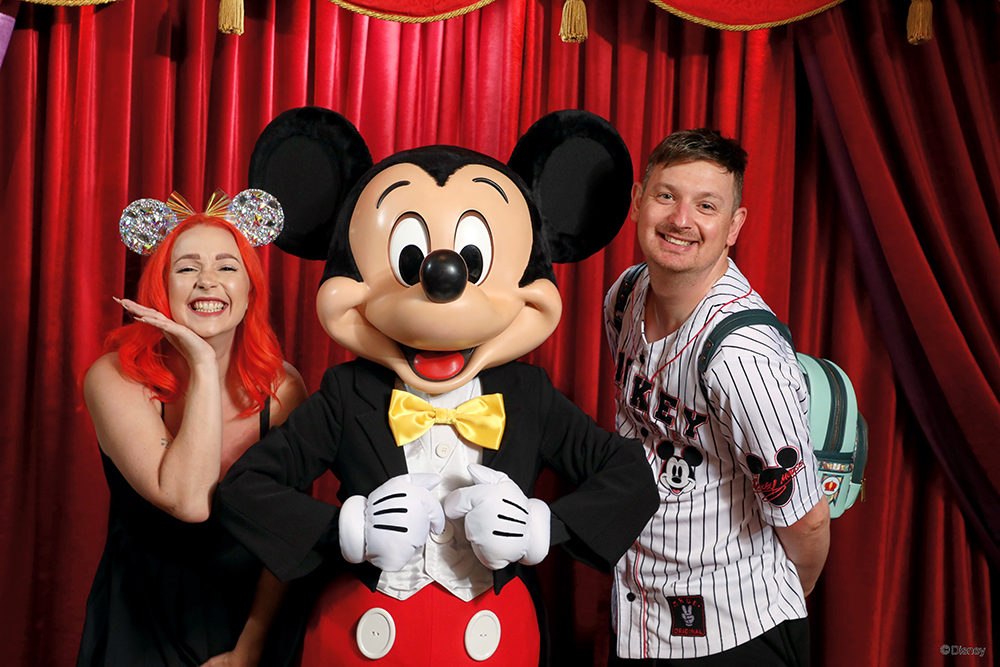
Our Disneyland Paris Virtual Queue Experience
We have followed the Disneyland Paris Virtual Queue system since it was first introduced and have used every character meet and greet that has appeared on the platform. From the original Hero Training Center launch through to newer additions such as Anna and Elsa in World of Frozen, we’ve experienced how the system has changed across different seasons, events and character rotations.
During that time, we’ve met Marvel Super Heroes, Disney Princesses, classic characters and seasonal favourites including Santa Claus and Jack Skellington. We’ve seen characters disappear from the system, return for special events, and watched Disneyland Paris adjust how virtual queues work based on demand.
This experience has taught us that success often comes down to preparation. Having tickets linked before booking opens, understanding the app layout, knowing which characters are most competitive, and being ready at the right time can make the difference between securing a reservation and missing out.
Because the Virtual Queue lineup changes regularly, we continue to update this guide with the latest character availability, booking information and practical advice based on our visits to Disneyland Paris.
Disneyland Paris Virtual Queue at a Glance
The Disneyland Paris Virtual Queue is a free digital reservation system that allows guests to book selected character meet and greets through the official Disneyland Paris app instead of waiting in a physical queue.
- Where do you book it? Through the official Disneyland Paris app on the day of your visit.
- When does it open? The main Virtual Queue openings are currently at 9:45am and 2:00pm, although Disney hotel guests and Gold Passholders have an exclusive 8:45am opening for Anna & Else
- Do you need to be inside the park? Yes. You must have entered Disneyland Paris and scanned your ticket before joining a Virtual Queue.
- Which characters use Virtual Queue? Current experiences include Anna and Elsa, Mickey Mouse, Princess Pavilion, Hero Training Center, Spider-Man, and Toy Story characters.
- Does it cost extra? No. The Disneyland Paris Virtual Queue is free to use.
- Can you queue normally instead? No. Character experiences using Virtual Queue do not have a standby line.
- What is the biggest tip? Prepare before booking opens. Popular characters, especially Anna and Elsa, and Princess Pavilion can fill within seconds.
Quick Links within this Guide

Disneyland Paris Virtual Queue Rules
 Book via the Disneyland Paris app on the day of your visit, and you can only book once you have scanned into the park.
 Queue opens at 9:45 a.m. and 2:00 p.m. daily (times may vary, always double-check the app, as the Anna and Elsa virtual queue also has a 8:45 option for times within Extra Magic Time)
 No standby queues, you must book through the app or request help from a Cast Member
 You can only book one virtual queue at a time
 You can only visit each character/location once per day
 You’ll get an estimated wait time and a 15-minute heads-up when it’s nearly your turn
 You have up to 30 minutes to arrive once your time slot begins
 All guests need a booking, except children under 3 years old.
 Guests with disabilities also need to use the virtual queue (priority access not accepted)
Disneyland Paris Virtual Queue Characters at a Glance
| Character | Location | Availability | Our advice |
|---|---|---|---|
| Anna and Elsa | World of Frozen | Current | Most competitive. Be ready before opening time |
| Mickey Mouse | Fantasyland | Current | Meet Mickey Mouse in his classic outfit |
| Princess Pavilion | Fantasyland | Current | You cannot choose the princess |
| Hero Training Center | Avengers Campus | Current | Characters rotates throughout the day |
| Spider-Man | Avengers Campus | Current | Popular during busy periods |
| Woody/Jessie | Animation Academy | until 30th September | Character can change |
What Are Virtual Queues
The Disneyland Paris Virtual Queue is a free digital reservation system that allows guests to book selected character meet and greets through the official Disneyland Paris app instead of waiting in a physical queue.
Once you secure a place, you’ll receive a return time for your character appointment. This allows you to continue enjoying the parks, whether that’s riding attractions, watching entertainment, enjoying a meal, or exploring, rather than spending your time standing in line.
The system was first introduced for the Hero Training Center in Avengers Campus and has since expanded to include many of Disneyland Paris’ most popular character experiences. However, not every character meet and greet uses Virtual Queue, and the available experiences can change throughout the year depending on seasonal events and entertainment schedules.
For Virtual Queue character experiences, there is no standby line. You must reserve your place through the Disneyland Paris app after entering the park. From our experience using the system since launch, preparation is key, especially for high-demand characters such as Anna and Elsa, where availability can disappear within seconds of booking opening.
Which Characters are currently on the Virtual Queue at Disneyland Paris?
The characters available through the Disneyland Paris Virtual Queue change throughout the year, usually depending on seasonal events, celebrations and entertainment schedules. Having used every version of the system since it first launched, we’ve seen the character lineup change regularly, with some experiences becoming permanent fixtures and others appearing for only a limited time.
One thing we’ve learned from using the system across different seasons is that the virtual queue can change quickly. A character that is available during one visit may not be there on the next, while seasonal celebrations can introduce completely new meet and greet opportunities. Before your visit, it’s always worth checking the Disneyland Paris app so you know which character appointments are available on the day.
Below is the current selection of character meet and greets using the Disneyland Paris Virtual Queue.
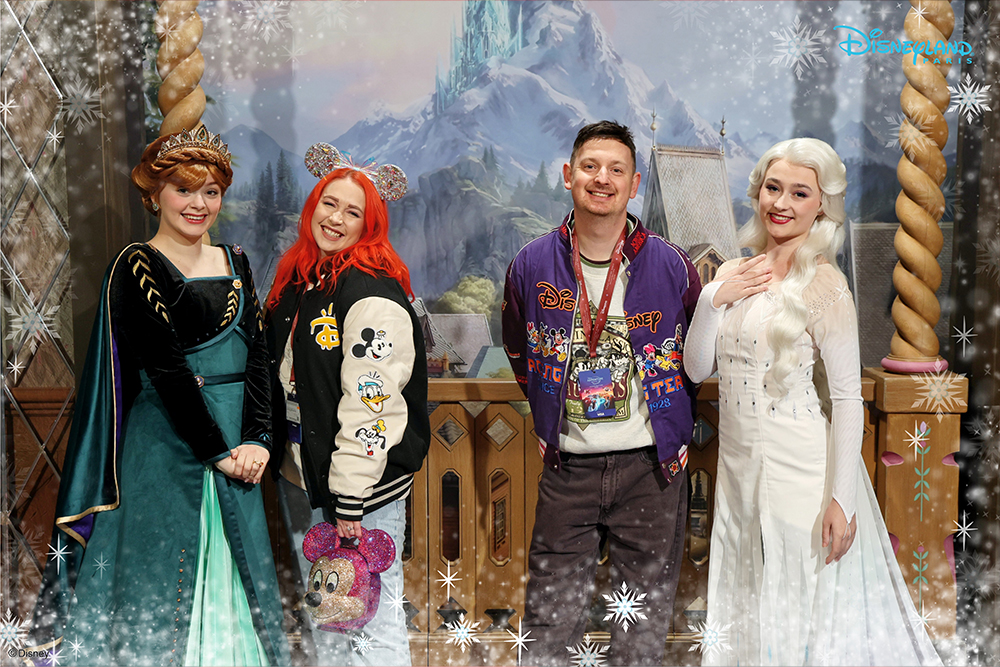
Anna and Elsa (World of Frozen)
Anna and Elsa are currently one of the most in-demand Disneyland Paris Virtual Queue experiences. Located inside the immersive World of Frozen, this character meet and greet regularly reaches capacity within seconds of bookings opening.
From our experience, this is one of the most difficult virtual queues to secure. If meeting Anna and Elsa is a priority for your visit, preparation really matters. We recommend having the Disneyland Paris app open, making sure everyone in your group is linked correctly, and being ready before the booking window begins.
Small details can make a big difference with high-demand character appointments, especially when many guests are trying to book at the same time.
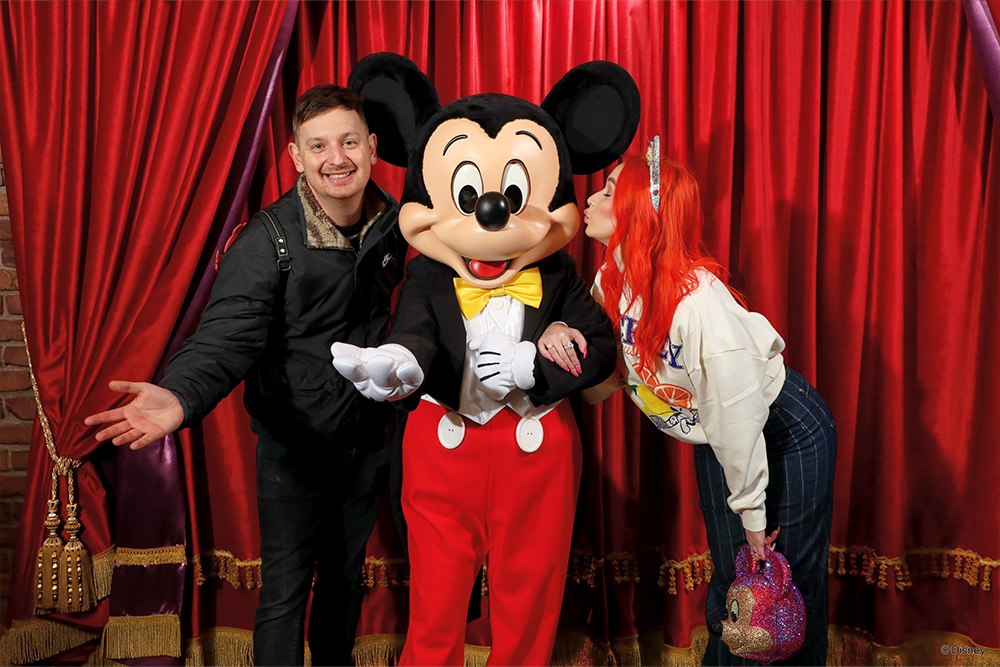
Meet Mickey Mouse (Fantasyland)
Mickey Mouse is also available through the Disneyland Paris Virtual Queue. Guests can meet Mickey at Meet Mickey Mouse in Fantasyland, where he appears in his classic outfit.
During special seasons such as Halloween and Christmas, Mickey continues to wear his classic look, making this a great option if you want a traditional Mickey Mouse character meet with some seasonal Disney magic around the parks.
As guests can only join one virtual queue per character each day, it’s worth deciding which Mickey experience you would like to prioritise before booking your appointment.

Princess Pavilion (Fantasyland)
The Princess Pavilion now uses the Virtual Queue system, replacing the traditional standby queue that could often involve lengthy waits.
One of the unique things about this experience is that you won’t know which princess you will meet until you arrive for your appointment. For some guests, this surprise element makes the experience even more magical, while those hoping to meet a specific princess may find the uncertainty a little frustrating.
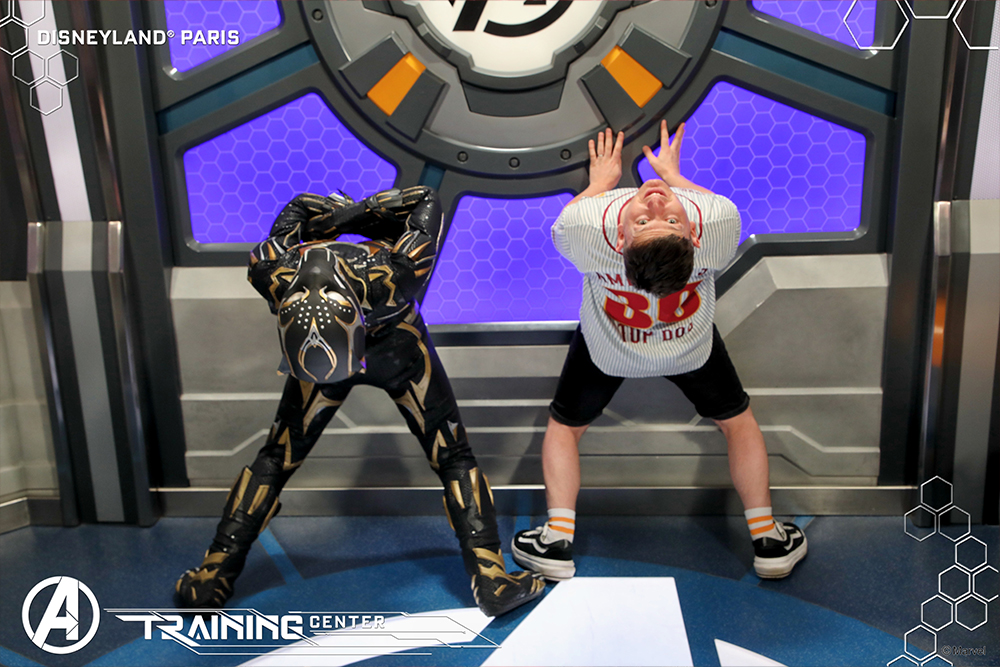
Hero Training Center (Avengers Campus)
The Hero Training Center was the first experience to introduce the Disneyland Paris Virtual Queue and remains one of the best examples of how the system can improve the guest experience.
Instead of spending time waiting in a physical queue, guests take part in a training session alongside Marvel characters such as Captain Marvel, Doctor Strange and other rotating heroes. The character appearing can change throughout the day, adding an extra element of surprise.
The experience also includes Disney PhotoPass multi-frame action shots and a 180° video capture, making it one of the most interactive character encounters available at Disneyland Paris.

Spider-Man (Avengers Campus)
Spider-Man also has a dedicated Virtual Queue experience in Avengers Campus. Unlike the Hero Training Center, this meet and greet focuses specifically on Spider-Man and does not include the 180° PhotoPass video capture.
Although it is a simpler character encounter, it remains extremely popular, particularly during busy periods such as school holidays and peak park days.
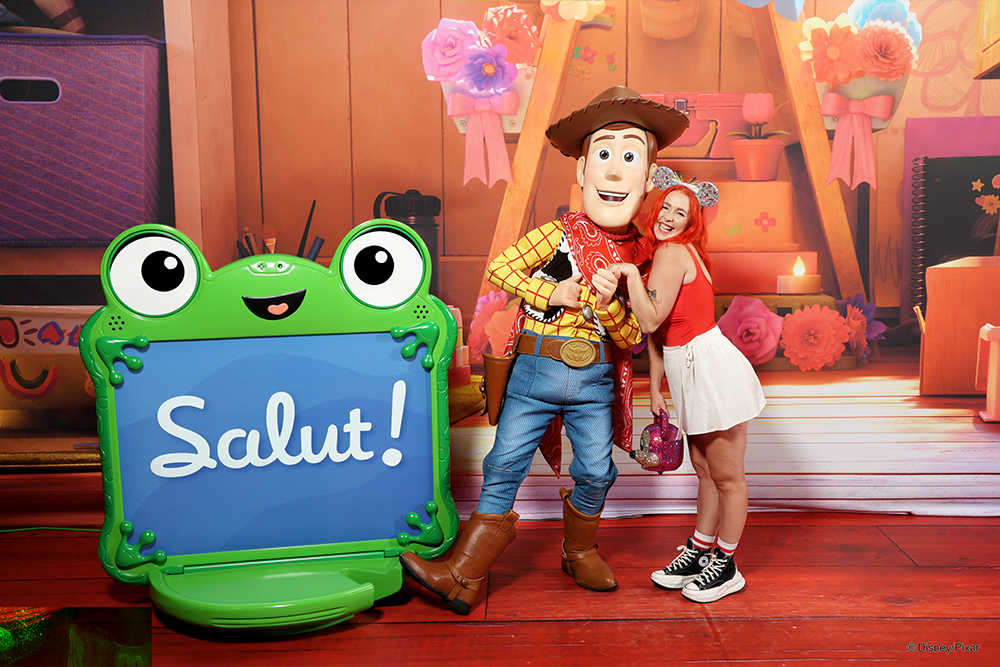
Woody, Jessie and Lilypad (Animation Academy)
The newest addition to the Disneyland Paris Virtual Queue lineup features Toy Story characters at Animation Academy as part of the current Toy Story celebration.
The character available for this meet and greet has been changing, with guests currently meeting either Woody or Jessie rather than multiple characters together. As the lineup can rotate, you won’t know which Toy Story character you will meet until your appointment.
Like many Virtual Queue experiences at Disneyland Paris, character availability can change depending on seasonal events and entertainment schedules, so we recommend checking the Disneyland Paris app on the day of your visit.
Recently removed (Previous) from the Virtual Queue
The Disneyland Paris Virtual Queue line-up changes regularly, with some characters only appearing for seasonal events, celebrations or limited-time entertainment offerings. Having followed the system since it first launched, we’ve seen a wide variety of characters come and go, often linked to Halloween, Christmas, new experiences or special events across the resort.
One thing we’ve noticed from using the system over time is that previous Virtual Queue experiences often return during the right season, while others are replaced as Disneyland Paris changes its entertainment schedule. Below are some of the most recent character experiences that have previously used the Disneyland Paris Virtual Queue.

Starport (Meet Star Wars Characters)
Starport offers guests the chance to meet Darth Vader, and sometimes other characters from the Star Wars Universe, in one of the most atmospheric character encounters at Disneyland Paris.
This experience has moved in and out of the Virtual Queue system over time, depending on seasonal programming. It was temporarily removed at the start of the Christmas season before returning on 7 January, showing how quickly character offerings can change throughout the year.

Jack Skellington (Sandy Claws) (Frontierland)
During the Christmas season, Jack Skellington appeared in his Sandy Claws outfit for a festive character meet in Frontierland. This seasonal version combined the spooky humour of Halloween Town with a touch of Christmas magic, making it one of the more unusual character encounters available at Disneyland Paris.
As with all Virtual Queue experiences, guests could only join once per day, so planning ahead was important if you wanted to include this meet during a busy festive visit.
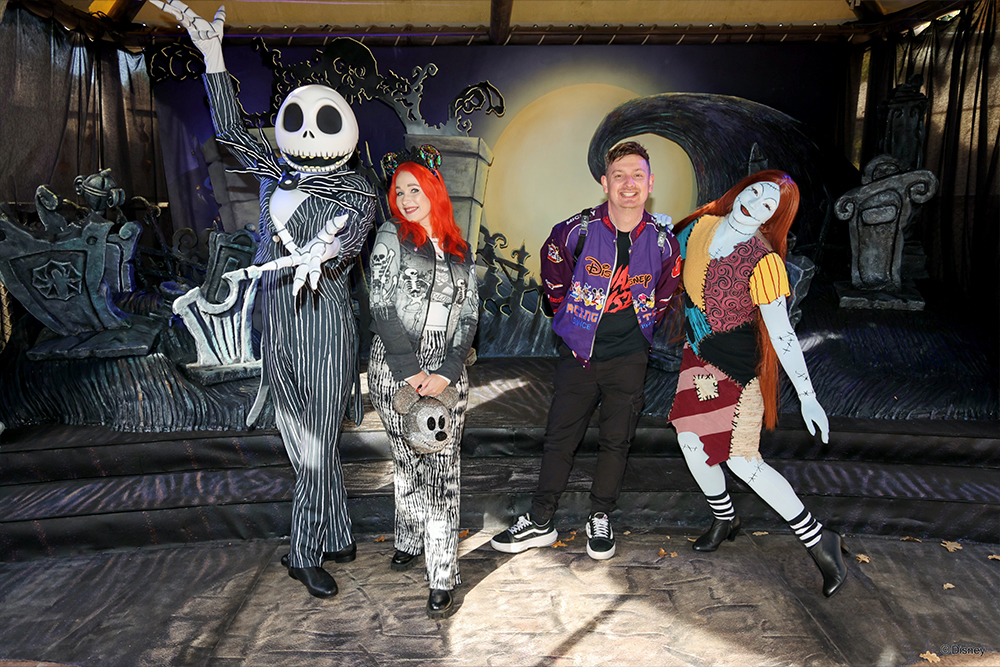
Jack Skellington and Sally (Frontierland)
During the Halloween season, Jack Skellington and Sally joined the Virtual Queue in Frontierland for a spooky seasonal character meet.
This experience became particularly popular during the Halloween period, when demand for these characters increased significantly. As guests could only make one Virtual Queue booking per character each day, being prepared early was important for anyone hoping to meet them.
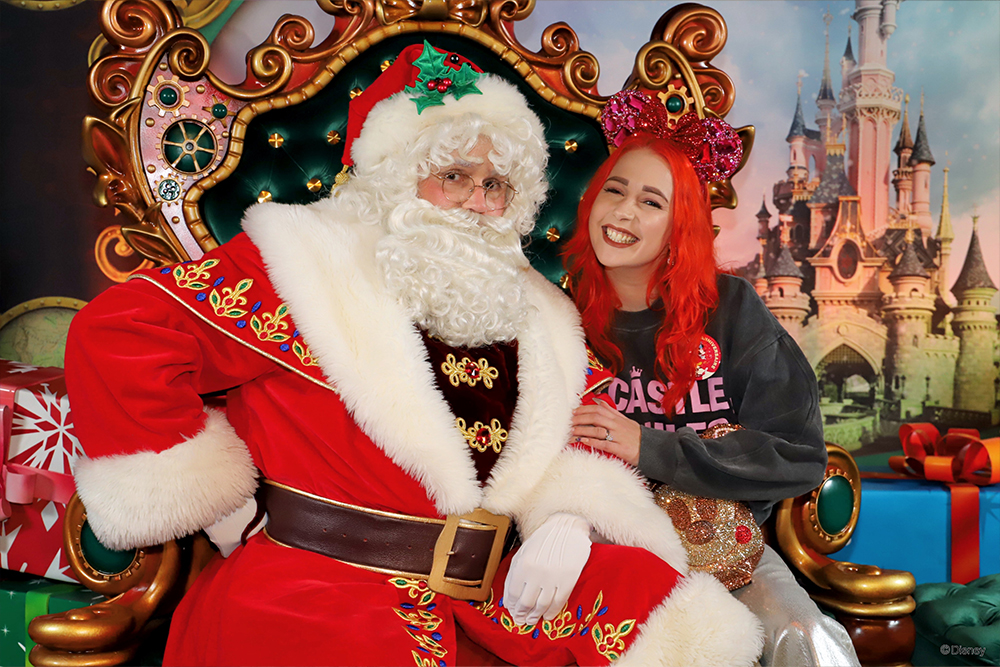
Santa Claus (Discoveryland)
Santa Claus was available through the Christmas season Virtual Queue at Discoveryland Arcade Beta, running until 24 December.
The Virtual Queue made it possible for guests to meet Santa without spending a large part of their day waiting in a physical queue, leaving more time to enjoy the resort’s Christmas decorations, entertainment and seasonal treats. The once-per-day booking rule still applied, so timing was especially important during the busiest holiday periods.
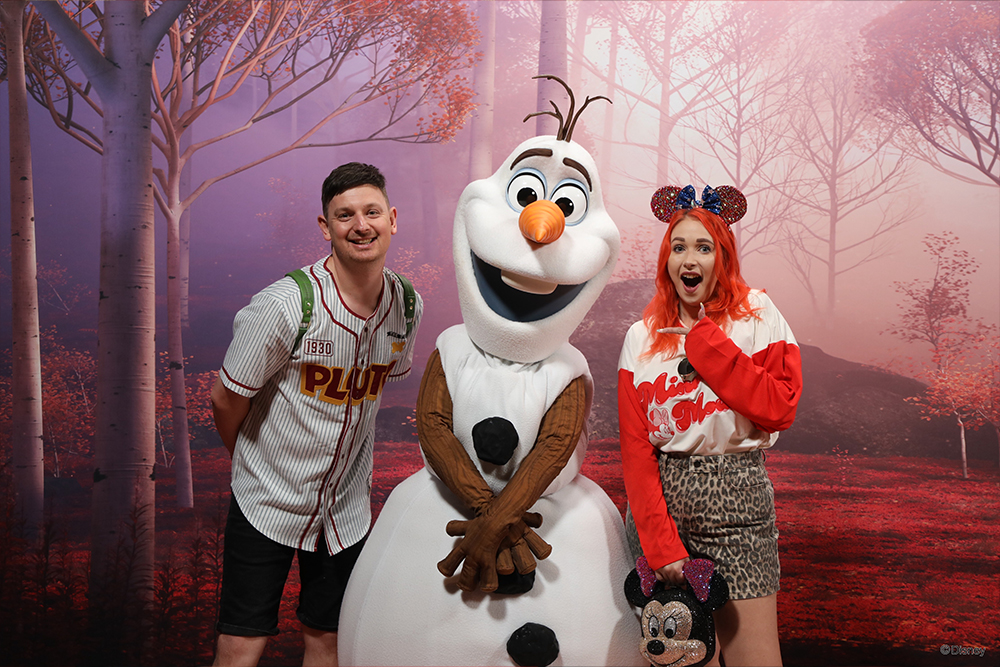
Olaf (Walt Disney Studios Park)
Olaf, the lovable snowman from Frozen, was previously part of the Disneyland Paris Virtual Queue at Walt Disney Studios Park.
This meet and greet offered a fun Frozen-themed character experience before being removed from the Virtual Queue rotation and replaced with a different offering, RobOlaf.
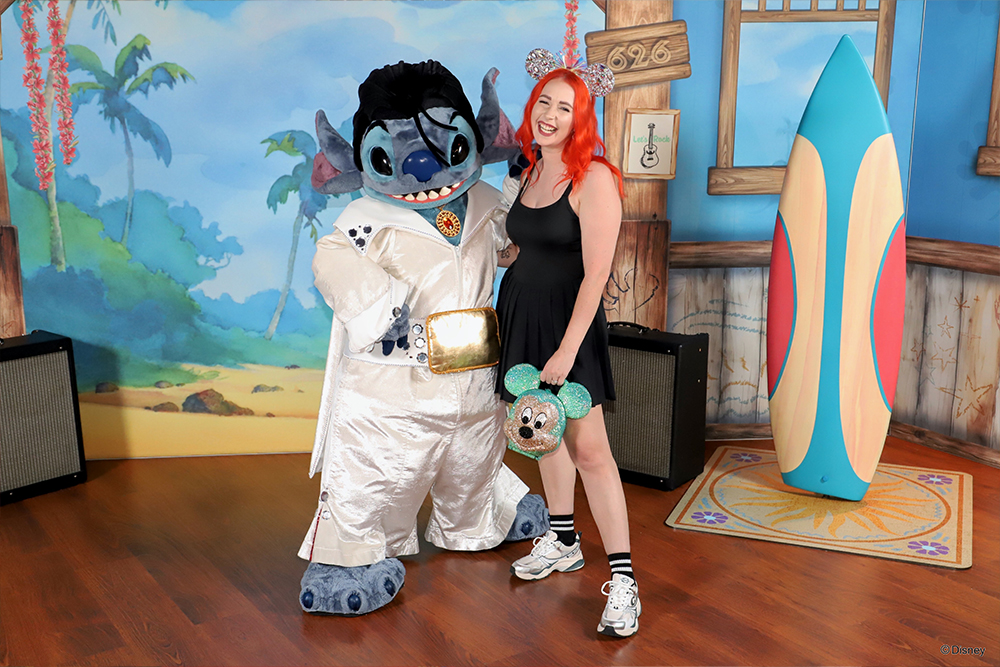
Stitch (Arcade Beta, Discoveryland)
Stitch joined the Virtual Queue multiple times during the Disney Music Festival and in his Santa Outfit for the Christmas season.
This was a great example of how the system can help manage high-demand character experiences. Before joining the Virtual Queue, Stitch’s meet and greet could see waits of over 120 minutes, so the system allowed guests to enjoy other parts of the park while waiting for their return time instead.
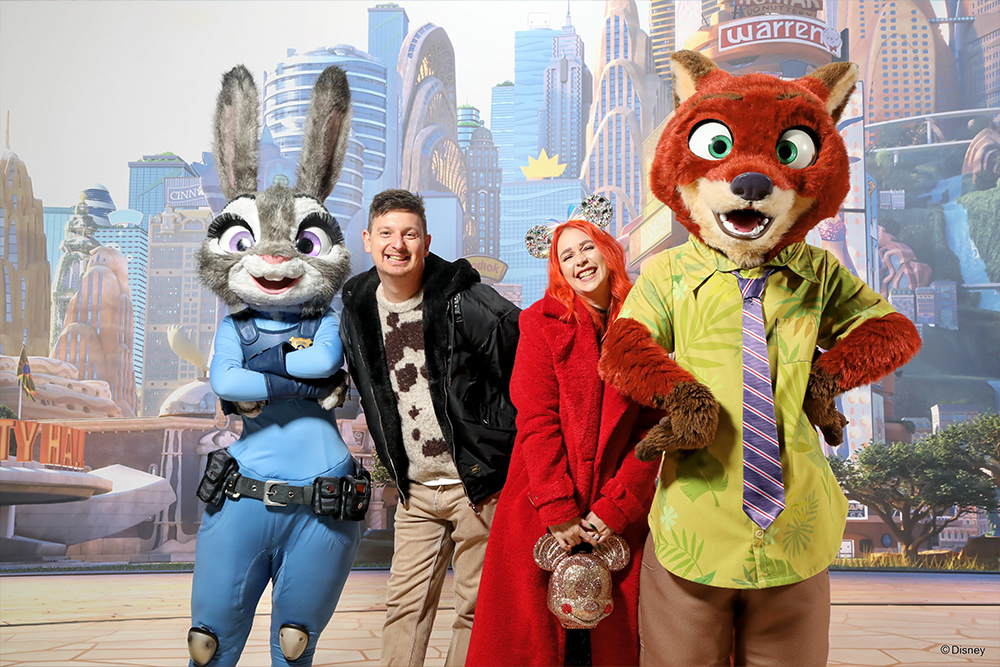
Nick Wilde/Judy Hopps (Animation Academy)
Nick Wilde was briefly part of the Virtual Queue character line-up at Animation Academy before being replaced with the Toy Story celebration on 17 June.
His appearance highlighted how quickly the system can change, with characters rotating in and out depending on seasonal events, celebrations and entertainment updates at Disneyland Paris.

The Rise of the Disneyland Paris Virtual Queue
The Disneyland Paris Virtual Queue is becoming an increasingly important part of meeting some of the resort’s most popular characters, replacing traditional standby queues at a growing number of character meet and greet locations.
What started with the Hero Training Center in Avengers Campus has gradually expanded across both parks, with more character experiences now using the Virtual Queue system to manage demand. For guests planning a Disneyland Paris visit, understanding how the system works has become an essential part of preparing your day, especially if character meet and greets are high on your list.
Having used the system since it was first introduced, we’ve seen the Disneyland Paris Virtual Queue change with each season and entertainment update. Characters have been added, others have disappeared, and new experiences have been introduced depending on events and guest demand. One thing we have learned is that the system is constantly evolving, so the characters available during one visit may not be the same during your next trip.
One of the first major expansions beyond Avengers Campus came when Stitch was added during a seasonal event, showing that the system was not limited to Marvel experiences. Although Stitch was later removed following the Disney Music Festival, it demonstrated how Disneyland Paris can adapt the Virtual Queue system around seasonal celebrations and popular character experiences.
Since then, many popular character meets have used the system, including Meet Mickey, Starport featuring Darth Vader, the Princess Pavilion, Olaf, Jack Skellington, Santa Claus, Spider-Man and Anna and Elsa. With each addition, the Disneyland Paris Virtual Queue has become a bigger part of planning how you spend your time in the parks.
For many guests, this change has been a positive one. Instead of spending an hour or more standing in a physical queue, you can continue exploring attractions, watching entertainment, enjoying a meal, or browsing the shops before returning for your character appointment.
However, there are some important rules to understand. You can only join each character’s Virtual Queue once per day, and you cannot make another booking for the same character until you have used your allocated return time. For the most popular experiences, such as Anna and Elsa, availability can disappear within seconds of bookings opening.
From our experience, preparation is one of the biggest factors in securing the characters you want to meet. Before booking opens, make sure everyone in your group is linked in the Disneyland Paris app, set reminders or alarms so you don’t miss the opening time, and be ready to join as soon as reservations become available.
Whether you prefer the flexibility of the Virtual Queue system or miss the simplicity of traditional standby lines, one thing is clear: the Disneyland Paris Virtual Queue has grown far beyond its original purpose. It is now a key part of meeting many of the resort’s most in-demand characters.
What Time Do Virtual Queues Open at Disneyland Paris?
Timing is one of the most important factors when it comes to securing a place in the Disneyland Paris Virtual Queue. The system operates through scheduled release windows each day, and the most popular character appointments can disappear within seconds of becoming available.
At the moment, the main Disneyland Paris Virtual Queue openings are at 9:45am and 2:00pm. These two daily booking windows give guests the opportunity to reserve available character meet and greets through the Disneyland Paris app.
On some days, particularly when park hours or seasonal entertainment schedules change, additional availability may appear later in the day. However, this is not an official release time, so we wouldn’t recommend relying on it when planning your visit.
From our experience using the system, the morning release is usually the most competitive, especially for high-demand character experiences such as Anna and Elsa. We have seen some of the most popular virtual queues fill almost immediately after bookings open, making preparation before the release time essential.
There is also an important seasonal variation to be aware of. Anna and Elsa can sometimes have an additional Virtual Queue release at 8:45am during Extra Magic Time, giving eligible guests, including Disneyland Paris Hotel guests and Gold Annual Passholders, an earlier opportunity to secure a return time before the main park-wide release.
The afternoon release can be useful if you miss the morning booking window, although availability is often more limited depending on crowd levels, the season, and which characters are currently available.
Virtual Queue opening times can change depending on park hours, seasonal events and entertainment schedules, so we always recommend checking the Disneyland Paris app before your visit and again on the day you arrive.
The key takeaway is simple: preparation matters. Having your park tickets linked, knowing which characters you want to prioritise, and being ready before the booking window opens can make the difference between securing a character appointment and missing out.
What you need to do before Joining the Virtual Queue
Joining the Disneyland Paris Virtual Queue is straightforward once you understand the process, but preparation is what makes the biggest difference. Having used the system since it first launched, we’ve found that guests who set everything up before the booking window opens are much more likely to secure the most popular character experiences.
Before You Arrive: Linking Tickets and Setting Up
Before your visit, download the official Disneyland Paris app and make sure all park tickets, annual passes, and hotel bookings are linked correctly to your account. This is an important step, as only guests with eligible linked tickets can join a Virtual Queue.
From our experience, this is one of the easiest things to overlook. Trying to add tickets or fix account details while the queue is opening can cost valuable time, especially for high-demand experiences such as Anna and Elsa. We recommend checking everything the evening before your visit so you are ready to book as soon as the queue opens.
Navigating the App on the Day
Once you are inside the park, open the Disneyland Paris app and head to the Map tab. Switch to List view and filter by Characters to find the available Virtual Queue experiences.
It is worth familiarising yourself with this section before booking opens. When popular character appointments become available, knowing exactly where to find the experience removes one more thing to worry about.
Choosing Your Experience
When the Virtual Queue opens at the scheduled time, select the character experience you want to book as quickly as possible. Some locations, such as the Hero Training Center, may feature rotating characters, so it is worth checking the details before confirming your choice.
Once you have selected your experience, confirm the members of your party and tap Join the Queue. If you are booking for multiple people, make sure everyone’s tickets are linked in advance so your whole group can be included.
Checking Wait Times and Arrival Instructions
After successfully joining a Virtual Queue, the Disneyland Paris app will show your estimated return time. Around 15 minutes before your appointment, you should receive a notification reminding you that it is nearly your turn, so make sure notifications are enabled both on your phone and within the app.
When your return time begins, you will have a limited window to arrive at the character location. Missing your allocated time can mean losing your place, and you may not be able to join the same character’s Virtual Queue again that day.
From our experience, the key to success with the Disneyland Paris Virtual Queue is simple: prepare before the booking window opens, know where to find the experience in the app, and keep an eye on your notifications throughout the day.
Step-by-Step guide on how to join a virtual queue Disneyland Paris
Once your tickets are linked and the Disneyland Paris app is set up, you’re ready to try and secure a place in the Virtual Queue. From our experience, guests who spend a few minutes familiarising themselves with the app before the booking window opens usually have a much smoother experience and can book more quickly when availability goes live.
Below is a simple step-by-step guide to help you join the Disneyland Paris Virtual Queue as efficiently as possible.
Open the Disneyland Paris App and Navigate to Characters
Open the official Disneyland Paris app when you arrive at the park, or spend some time exploring it before your visit so you know where everything is located.
We recommend finding your chosen character experience in advance, such as the Hero Training Center or Anna and Elsa, so you are not trying to search through the app when bookings open. For the most popular character appointments, those extra few seconds can make a difference.
Find the Virtual Queue in the App
To access the available Virtual Queue experiences, follow these steps:
Open the Map tab from the bottom menu
Switch to List view
Filter or scroll to Characters
This will show the character experiences currently available through the Disneyland Paris Virtual Queue system.
Select Your Character or Experience
Tap on the character or location you want to meet, such as the Hero Training Center or another available Virtual Queue experience.
Before continuing, check that the correct experience is selected and that all members of your party are included. Having everyone’s tickets linked beforehand is especially important if you are booking for a group.
Join the Queue
When the Virtual Queue opens, tap Join the Queue as quickly as possible.
From experience, this is the most time-sensitive part of the process. High-demand character experiences can reach capacity within seconds, so being prepared before the release time gives you the best possible chance of securing an appointment.
Once your booking is confirmed, your return time will appear in the Disneyland Paris app. You can then continue enjoying the parks until it is time to head back for your character meet and greet.
Confirm Your Party
Once you have joined the Disneyland Paris Virtual Queue, you will be asked to confirm which members of your party want to take part in the character experience. A list of all guests with tickets linked to your Disneyland Paris app will appear, allowing you to select who will be included in the booking.
If everyone in your group is attending, you can make this step quicker by using the Select All option at the top of the screen. From our experience, this is a small but important time saver, especially during busy booking windows when popular character experiences such as Anna and Elsa can fill almost instantly.
After selecting your party, you will see a summary screen with the details of your Virtual Queue reservation. Take a moment to check that everything is correct, then tap Continue to complete your booking.
Once confirmed, your return time will appear in the Disneyland Paris app, allowing you to continue enjoying the parks until it is time to head back for your character meet and greet.
Confirm Booking and Check Your Wait Time
After successfully booking your place in the Disneyland Paris Virtual Queue, a confirmation screen will appear showing your estimated wait time and return details.
Keep checking the Disneyland Paris app as your appointment approaches, as your estimated time will update throughout the day. This helps you know when it is time to make your way towards the character location rather than arriving too early or missing your slot.
From our experience, it is worth checking the app manually rather than relying only on notifications. While notifications are useful, busy park days can sometimes make timings feel less predictable, so keeping an eye on the app gives you the most accurate information.
We also recommend taking a screenshot of your booking confirmation once it appears. If you experience any issues with the app, lose connection, or need to quickly check your details, having a saved copy of your reservation can be helpful.
As your return window gets closer, make sure you are nearby and ready to arrive within your allocated time. Missing your slot could mean losing your chance to meet that character during your visit.
Arrive at the Location When the Timer Hits 0 Minutes
When your Disneyland Paris Virtual Queue timer reaches zero, make your way to the character meet and greet location shown in the Disneyland Paris app.
At the entrance, a Cast Member will check your Virtual Queue booking before allowing you to join the experience. You will need to show your confirmation details in the app so they can verify your reservation.
From our experience, it is best not to leave your arrival until the last possible moment. While you usually have a window of time to return, arriving shortly after your timer reaches zero can help you avoid any build-up at the entrance and makes the check-in process feel much smoother.
Once your booking has been confirmed, you can enjoy your character meet and greet without the need to join a traditional standby queue.
By following these steps, you’ll be fully prepared to join a Disneyland Paris Virtual Queue and enjoy a smoother character meet and greet experience.
The key things to remember are to check the release times, keep the Disneyland Paris app ready, and make sure all tickets are linked before bookings open. From our experience, the Virtual Queue system rewards preparation, and being ready a few minutes early can make all the difference when trying to secure the most popular character appointments.

Insider Tips for joining the Virtual Queue
Securing a spot in the Disneyland Paris Virtual Queue can feel like a race against time, especially for the most popular character experiences. Having used the system since it first launched, we’ve learned that a little preparation before the booking window opens can make a huge difference.
While there is no guaranteed way to secure every character appointment, these practical tips will give you the best possible chance of joining your preferred character meet and greet.
- Set alarms before release times. Make sure you are ready a few minutes before the 9:45am and 2:00pm booking windows. Being prepared before the queue opens is especially important for high-demand characters such as Anna and Elsa, where availability can disappear very quickly.
- Link your tickets in advance. Do not leave this until you arrive at the park. From our experience, checking that everyone’s tickets are linked the night before removes unnecessary stress and saves valuable time when bookings open.
- Practise using the Disneyland Paris app. Familiarise yourself with where to find the Virtual Queue section before your visit. Knowing exactly where to tap means you are not searching through the app when every second matters.
- Decide your priorities early. Know which characters are most important to your group before the booking window opens. This is particularly useful on days when multiple experiences are available and you need to make a quick decision.
- Use a reliable internet connection. Park Wi-Fi can become unreliable during busy periods, so using mobile data may provide a more consistent connection when trying to join a popular Virtual Queue.
The Disneyland Paris Virtual Queue system can seem stressful at first, but once you understand the process, it becomes much easier to manage. Preparation is the biggest advantage you can give yourself, especially when trying to meet the characters with the highest demand.
Final Thoughts: Are Virtual Queues at Disneyland Paris Worth It?
If you follow our visits and updates, you’ll know that character meets are a huge part of the magic for us at Disneyland Paris. Meeting characters is often one of the highlights of a park day, and the introduction of the Disneyland Paris Virtual Queue has definitely changed how these experiences fit into planning a visit.
There are some clear positives to the system. Instead of spending long periods standing in a physical queue, you can use that time to explore the parks, enjoy attractions, grab something to eat, or simply take a more relaxed approach to your day. When the system works well, it gives guests much more freedom and helps make better use of their time at Disneyland Paris.
However, from our experience, there is also a trade-off. If meeting a specific character is a major priority and you miss out on a Virtual Queue reservation, it can feel disappointing, especially if that character was one of the main reasons for your visit. Under the previous standby system, guests always had the option to wait if they were willing to spend the time in a queue, which gave a little more control over their plans.
We have also seen some frustration from guests, particularly around app performance during busy booking windows and the changing character lineups. At times, securing a popular character appointment can feel like it comes down to preparation, timing, and a little bit of luck, especially for experiences with very high demand such as Anna and Elsa.
That said, we do appreciate that Disneyland Paris has continued to use a free Virtual Queue system for character meets rather than introducing a paid option. With Premier Access already available for many attractions, keeping character experiences accessible through the app feels like a fairer approach for guests.
For us, the biggest limitation remains the once-per-day booking rule for each character. While this helps manage demand and gives more guests the opportunity to experience popular meets, it can be restrictive for visitors who enjoy meeting several characters during their trip, especially when multiple favourites are available through the system.
Overall, the Disneyland Paris Virtual Queue is a clever solution that improves crowd flow and reduces time spent waiting in traditional queues, but it is not without its challenges. Like many changes at Disneyland Paris, the system continues to evolve. The best way to make the most of it is to understand how it works, prepare in advance, and go into your visit knowing that timing and flexibility can make a big difference.



Disneyland Paris Virtual Queue FAQ
Disneyland Paris Virtual Queue FAQ
Can I book more than one character per day?
Yes, you can join multiple Disneyland Paris Virtual Queue experiences in the same day, but each character can only be booked once per day. For example, you could meet Mickey Mouse in the morning and Spider-Man later in the afternoon, but you cannot join the same character’s Virtual Queue twice during one visit.
Can I join more than one Virtual Queue in a day?
Yes, you can use the Virtual Queue system multiple times during your visit. However, you can only have one active Virtual Queue booking at a time. In most cases, you will need to complete your current character experience before joining another queue.
Can I choose which Marvel character I meet?
It depends on the experience. At Avengers Campus, some character encounters are specific, such as Spider-Man. However, for experiences like the Hero Training Center, the Marvel character you meet depends on the available lineup on the day and may be a surprise Avenger.
Can I choose which Disney Princess I meet?
No. At the Princess Pavilion, the Disney Princess you meet is chosen when it is your turn. This surprise element is part of the experience, but it does mean you cannot guarantee meeting a specific princess.
What do I need to join the Virtual Queue?
To join the Disneyland Paris Virtual Queue, you need to have your park tickets, annual passes, or eligible hotel details linked to your Disneyland Paris app account before booking opens. You also need to have entered the park on the day of your visit, as Virtual Queue access is only available once you have scanned into Disneyland Paris.
What time does the Virtual Queue open?
The main Virtual Queue openings are currently at 9:45am and 2:00pm each day. There may occasionally be additional availability later in the day, but this is not guaranteed.
Disney Hotel guests and Gold Annual Passholders can also access an additional 8:45am opening for Anna and Elsa in World of Frozen during Extra Magic Time.
Opening times can change depending on park hours, seasonal events and entertainment schedules, so always check the Disneyland Paris app for the latest information on the day of your visit.
What happens if I miss my Virtual Queue slot?
If you do not arrive within your allocated return window, your booking will expire and you will lose your place in the queue. In most cases, you will not be able to join that character’s Virtual Queue again on the same day, so it is important to keep track of your return time and head to the location when requested.
Is there a PhotoPass photographer at character meet and greets?
Yes. Many Disneyland Paris Virtual Queue character experiences include a Disney PhotoPass™ photographer who will capture photos during your meet and greet. These images can then be viewed through your Disney PhotoPass account.
Do children need their own Virtual Queue booking?
Yes, all guests attending the experience need their own Virtual Queue reservation. The only exception is children under 3 years old, who do not require a booking.
Can guests with disabilities use priority access instead of the Virtual Queue?
No. Guests with disabilities or accessibility needs must also use the Disneyland Paris Virtual Queue system for eligible character experiences. Priority access does not apply to these character meet and greets.
Can I change or cancel my Virtual Queue booking?
No. Once a Virtual Queue booking has been confirmed, it cannot usually be changed or cancelled. If you do not use your allocated return time, the reservation will expire automatically.
Do Virtual Queue times ever change?
Yes. Virtual Queue availability, release times and character lineups can change depending on park hours, seasonal events, entertainment schedules and demand. We recommend checking the Disneyland Paris app regularly, especially on the day of your visit, for the most accurate information.
